
Z Report
On this page
Please note that Inventory Report data older than one year is archived and will not be available for viewing and exporting. Please export and store your reports in timely manner.
Overview
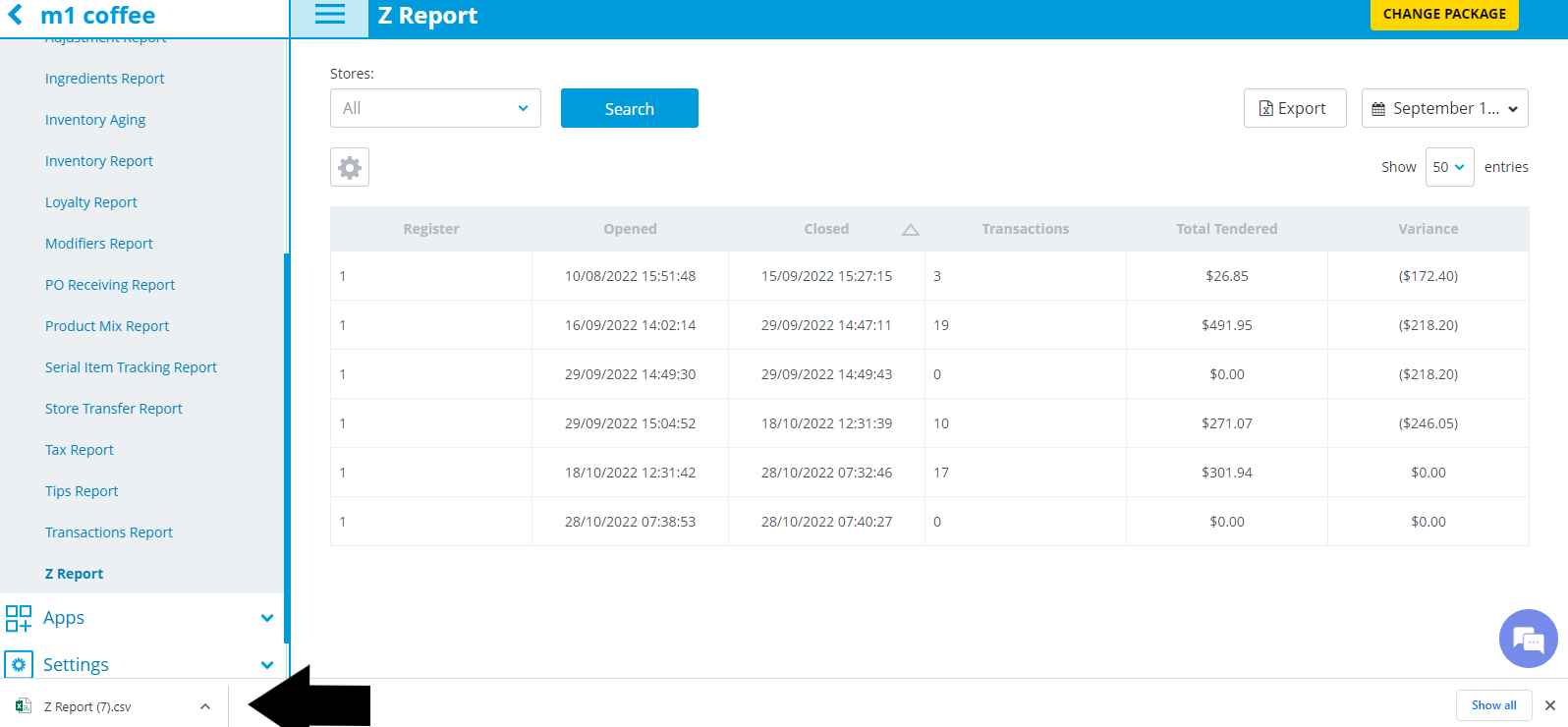
In the Z Report, you can view data on all of the transactions completed during specific shifts on each register of a store or stores. A shift represents the time a register was opened to the time it was closed.
In the Z Report, you can view data on all of the transactions completed during specific shifts on each register of a store or stores. A shift represents the time a register was opened to the time it was closed.
- Apply filters to Z report (by Stores, Time Period)
- Sort information by any column
- View information on all of the Z Reports for the selected time period and store(s).
- Export results
- View detailed info about each shift on the Z Report Details screen.
Z Report
To access, go to Reporting—>Z Report in the left navigation menu.
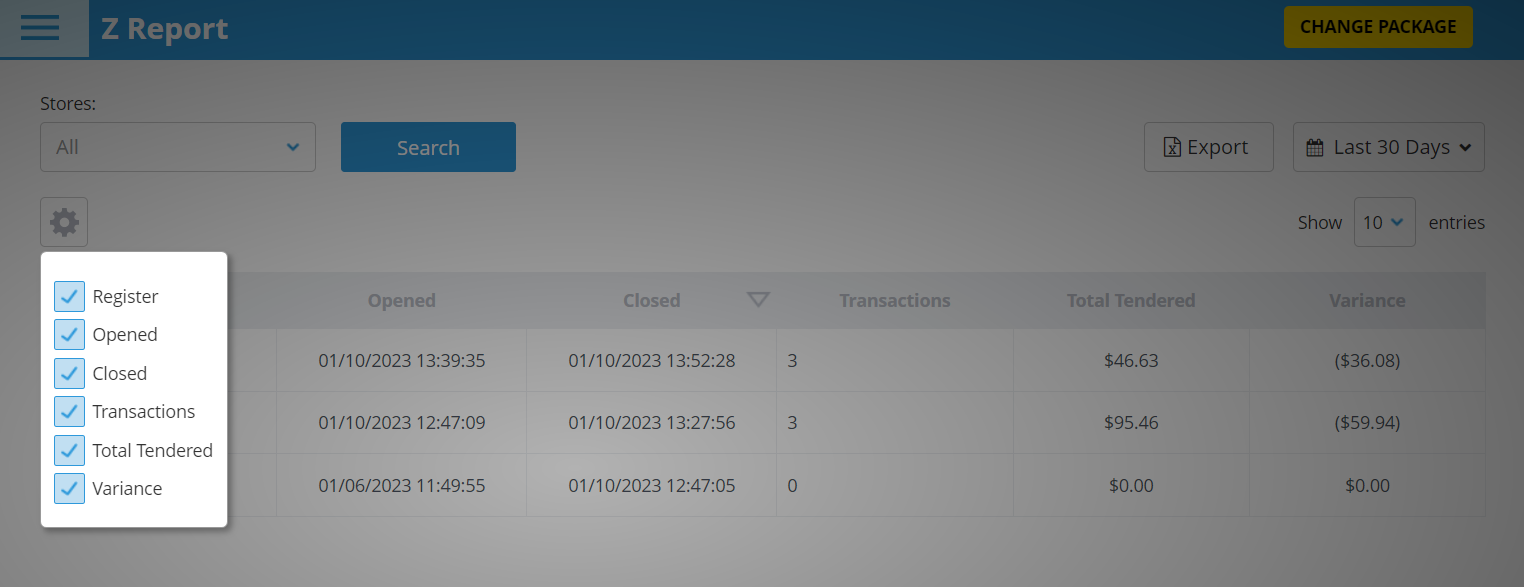
You can customize which columns you would like displayed in the report by selecting the Set Columns drop-down field and then selecting the checkbox next to each column you would like to include.
The columns in the Z Report include:
- the Register used during the shift
- the time the register was Opened
- the time the register was Closed
- the number of Transactions completed in the shift
- the Total Tendered in the shift = (Net Sales or Total Sales – Discounts and Refunds) + Tips, Taxes, Surcharges, and Cash Discounts
- the Variance = (Expected cash amount – Actual cash amount)
- You can filter shifts by one or more Stores in the drop-down menu.
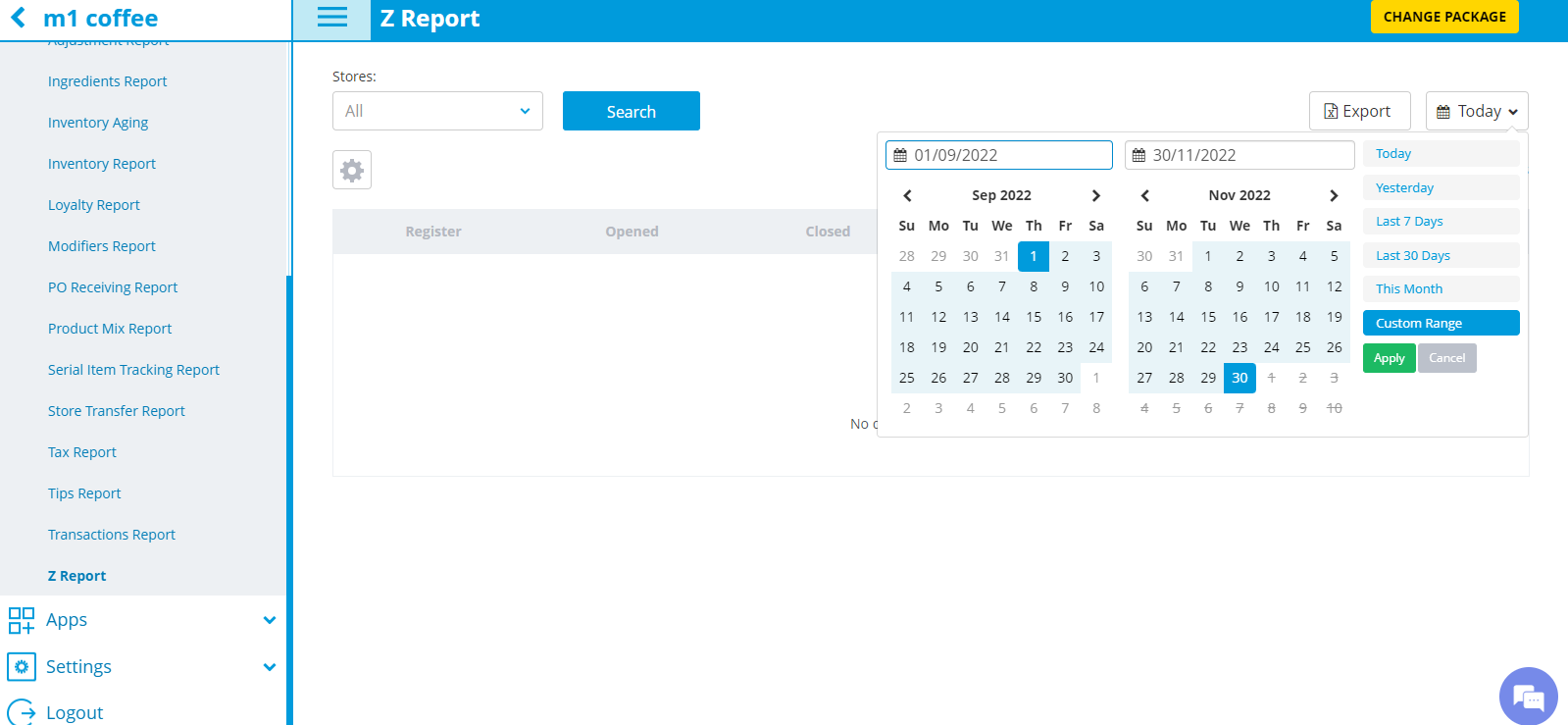
- You can filter by date by selecting one of the options in the date range drop-down menu. The default will say Today.
- Only up to 3 months can be filtered at a time. To filter by a customized date range within a 3 month period, select the Custom Range option and then the dates you would like to filter for in the calendars that appear. If you would like to view data for more than 3 months, export the report after choosing a custom range and then select a new custom range, export it, and combine the data from the exported reports.
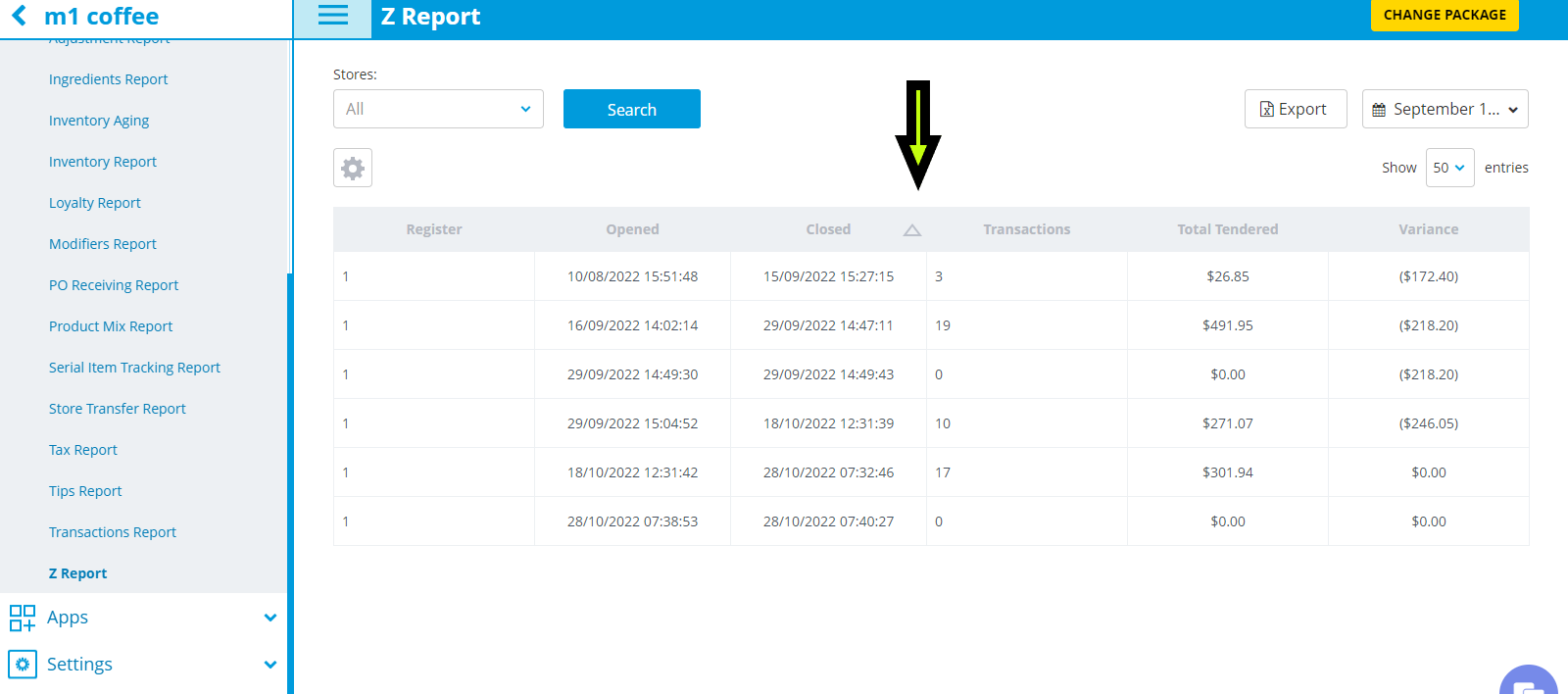
- Sort by individual columns by clicking on the triangle to the right of the column you want to sort (except Total Tendered and Variance columns).
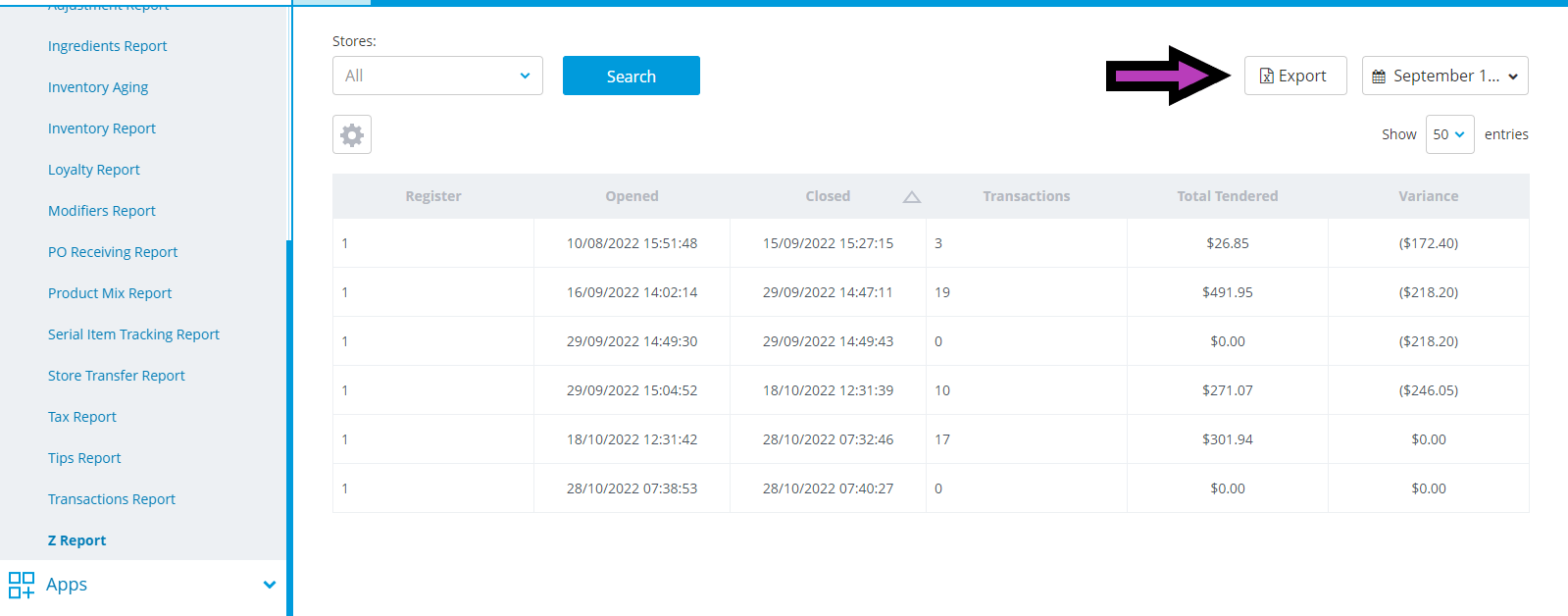
- Export the Z Report by clicking the Export button and then click on the download to open the report.
Z Report Details
You can view Z Report Details by selecting a specific row in the Z report. From there, you will be able to view detailed information about the selected shift, including data on your Cash flow, Revenue numbers, Tender Breakdown.
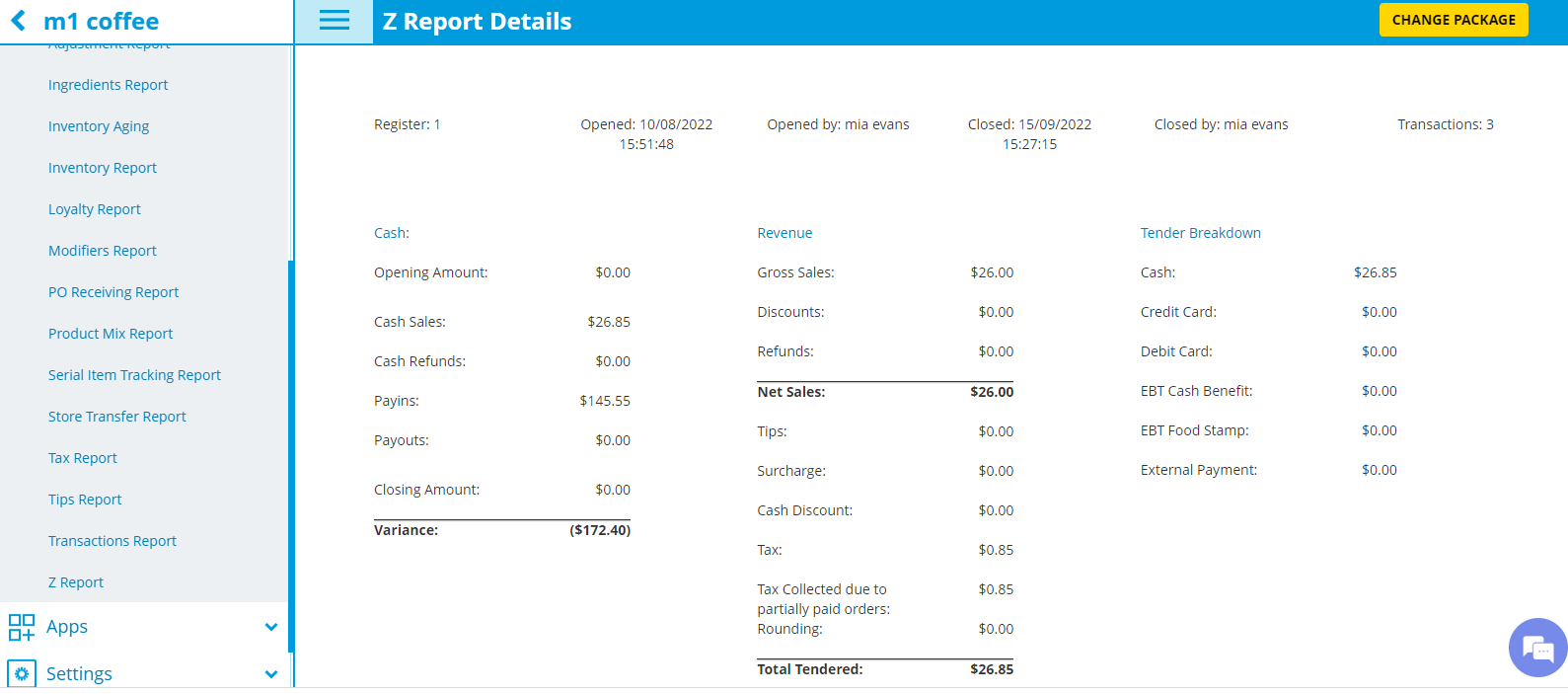
If entered during the shift, you will also be able to view the Payin and Payout notes and/or Open or Close Register notes.
Please note that Inventory Report data older than one year is archived and will not be available for viewing and exporting. Please export and store your reports in timely manner.
If you need further assistance please contact our support team:
Support Available in English & Spanish
Tel: 800-211-1256, option 1
Email: support@chargeanywhere.com
Hours: 9:00AM-9.00 PM EST Monday-Saturday,
9am to 6pm EST, Sunday