
Employees & Time
Employee: Allows you to set up employees and their permissions
- Users: Shows all the users in the pos
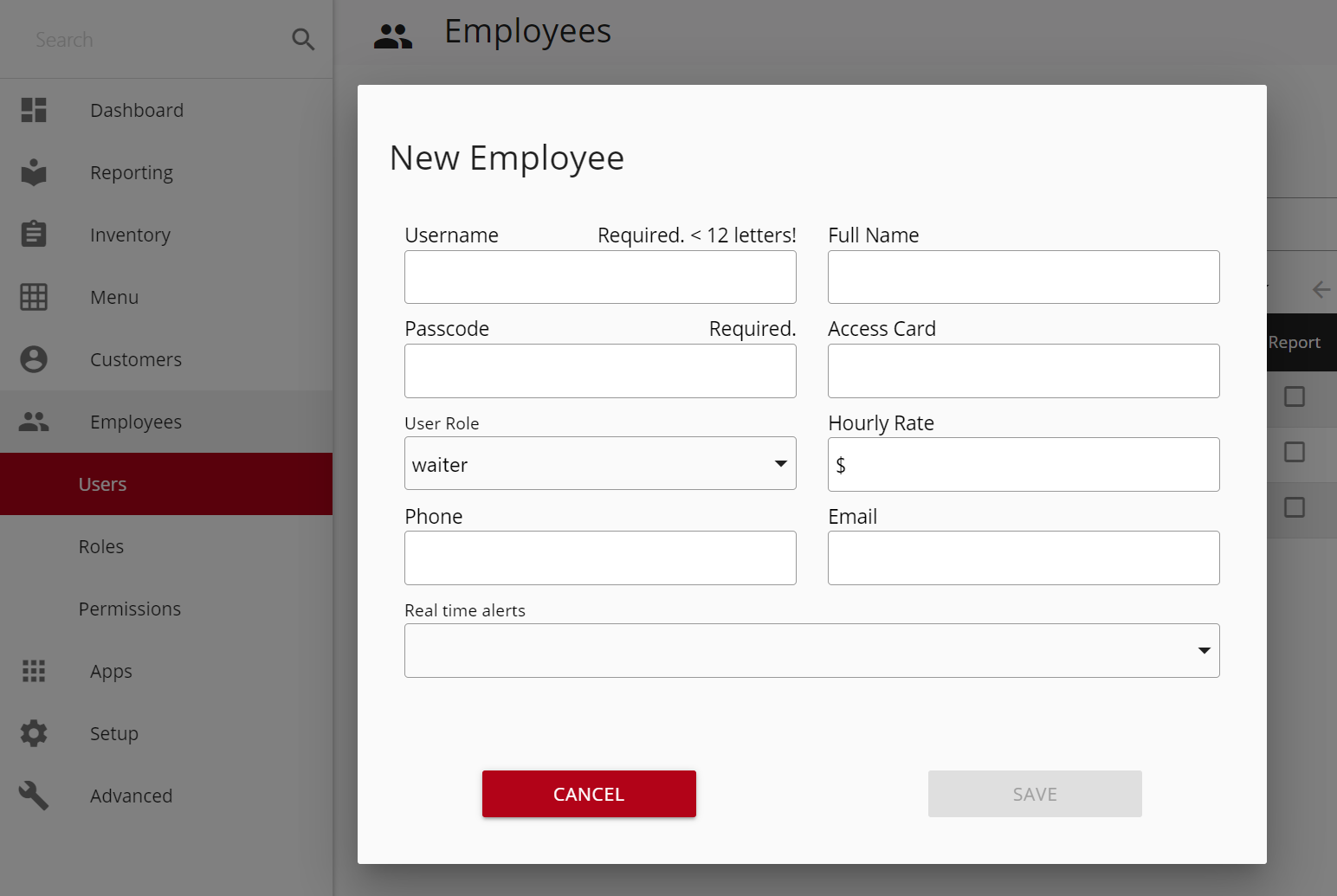
- New Employee: Allows you to add a new employee
- Username: Employee’s name that will show in the pos
- Full Name: Employee’s full name
- Passcode: Employee’s passcode to clock in/out & log in/out
- Access Card: Employee’s access card number to use to clock in/out & log in/out
- User Role: Employee’s role
- Hourly Rate: Employee’s hourly rate pay
- Wbus: Employee’s hourly rate as a busser
- Wserver: Employee’s hourly rate as a server
- Wcashier: Employee’s hourly rate as a cashier
- Wdriver: Employee’s hourly rate as a driver
- Wbartender: Employee’s hourly rate as a bartender
- Phone: Employee’s phone number
- Email: Employee’s email address
- Real time alerts: Different alerts you can enable that will be sent through text when the action occurs
- Roles: Shows all the possible roles
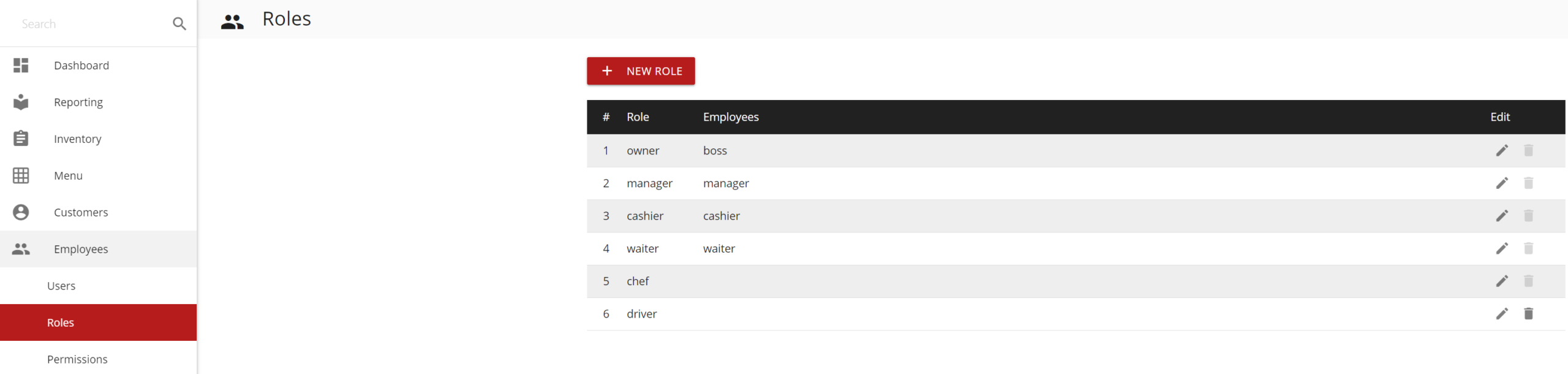
- New Role: Allows you to add a new role
- Role Name: Name of role
- Alternate Name: Name of role in other language
- Discount(%): Discount percentage allowed for that role
- Accepting shares percentage: Percentage of shares the role accepts
- Employee: Employees under the role
- Permissions: Permissions allowed by that roleMin Height: 296.3px
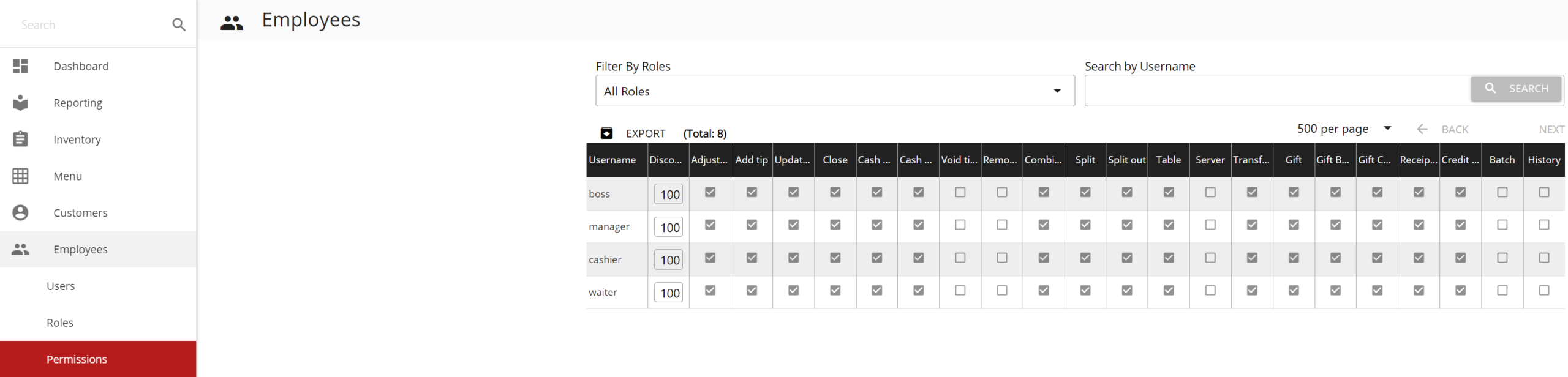
Permissions: Allows you to limit employee access to certain actions/features
- Discount: Allows a maximum discount percentage
- Add Tip: Allows adding tips
- Adjust Tip: Allows adjusting tips for credit transactions
- Update Tip: Allows updating tips after adjustments are made
- Close: Allows you to close a ticket
- Cash Close: Allows you to close a ticket by cash
- Check Close: Allows you to close a ticket by check
- Cash Drawer: Allows you to open the cash drawer
- Void Ticket: Allows you to void a ticket
- Remove Item: Allows you to remove an item from an order
- Combine: Allows you to combine tickets
- Split: Allows you to split tickets
- Split Out: Allows you to split tickets into new
- Table: Allows you to change tables
- Server: Allows you to change the ticket owner
- Report: Allows you to view reports
- Transfer: Allows you to transfer items to a different ticket
- Gift Card: Allows you to use gift card operations
- Gift Bonus: Allows you to do gift card bonus
- Gift Comp: Allows you to do gift comp
- Receipt Reprint: Allows you to reprint a receipt
- Credit Reprint: Allows you to reprint a credit card receipt
- Special Requests: Allows you to use special requests
- Batch: Allows you to batch
- History: Allows you to visit old tickets
If you need further assistance, please contact our support team:
Support Available in English & Spanish
Tel: 800-211-1256, option 1
Email: support@chargeanywhere.com
Hours: 9:00AM-9.00 PM EST Monday-Saturday,
9am to 6pm EST, Sunday