
Unblocking Register in POS
Instructions
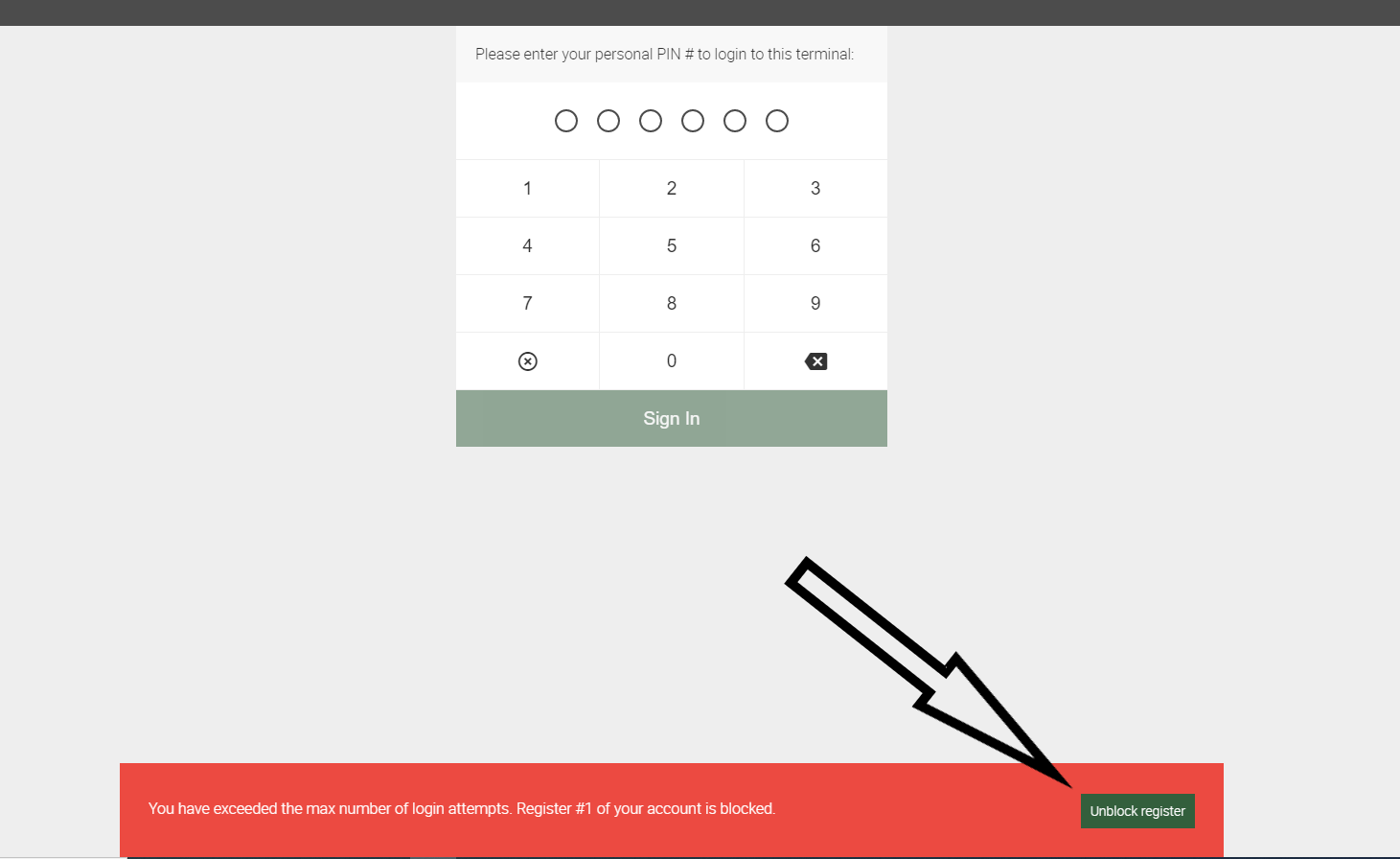
1. Your register will get blocked after entering an incorrect PIN 5 times. To unblock it, you can either do so in Back Office Register Settings or via email. To unblock via email, select the Unblock register button that appears in the error message on the bottom of the screen.
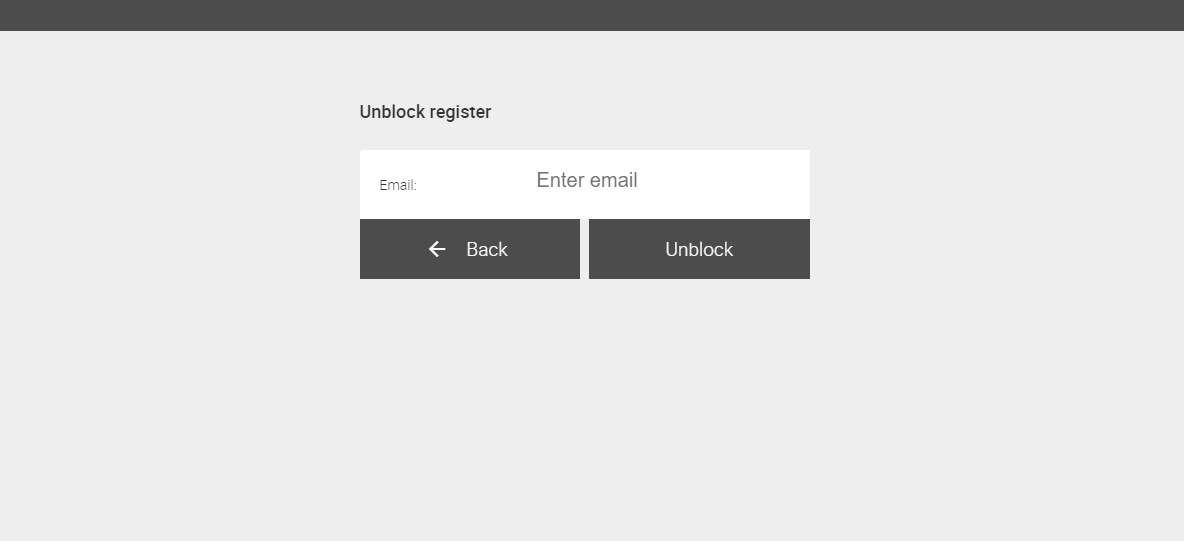
2. You will be taken to the Unblock register screen. Enter your email into the Enter email field and then select the Unblock button.
3. You will be sent an email with instructions of how to unblock your register.
If you need further assistance please contact our support team:
Support Available in English & Spanish
Tel: 800-211-1256, option 1
Email: support@chargeanywhere.com
Hours: 9:00AM-9.00 PM EST Monday-Saturday,
9am to 6pm EST, Sunday