
Enable Usage Of Register By Multiple Employees
Overview
When feature enabled, after each employee in a store processes or saves an order, he/she will be automatically logged out of POS so a different employee will be able to log in with that register.
Instructions
In Back Office, select Settings—>Store Settings in the left navigation menu—>select store—>check off the Autologout after each order box—>click the Done button.
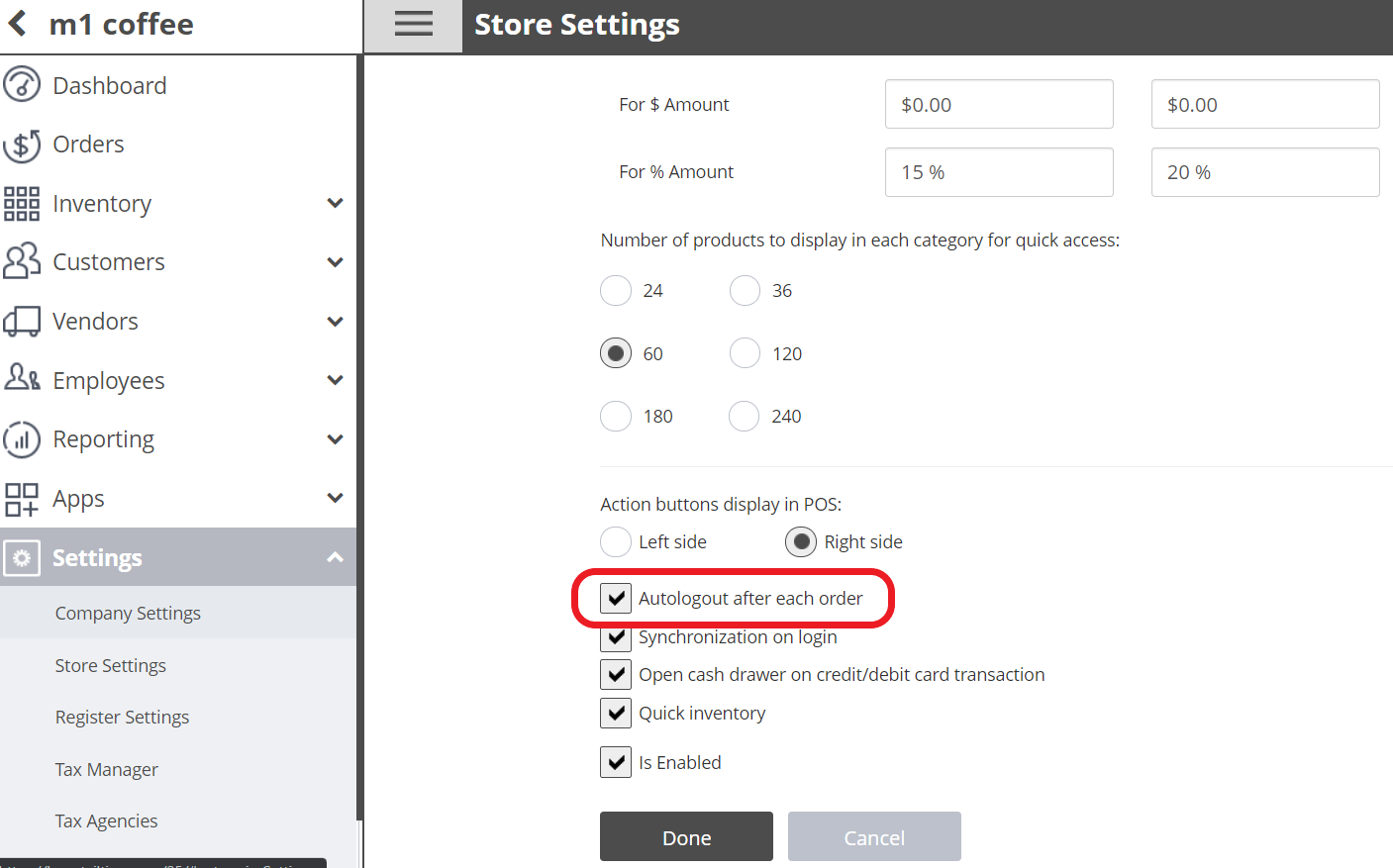
Then, be sure to sync the data in POS
Staying Logged In After Saving an Order
If the employee does not want to log out after saving an order, he/she can select the Save & Stay button.
If you need further assistance please contact our support team:
Support Available in English & Spanish
Tel: 800-211-1256, option 1
Email: support@chargeanywhere.com
Hours: 9:00AM-9.00 PM EST Monday-Saturday,
9am to 6pm EST, Sunday